
What Is Crawl Budget and How Can Small Websites Optimize It?
July 29, 2026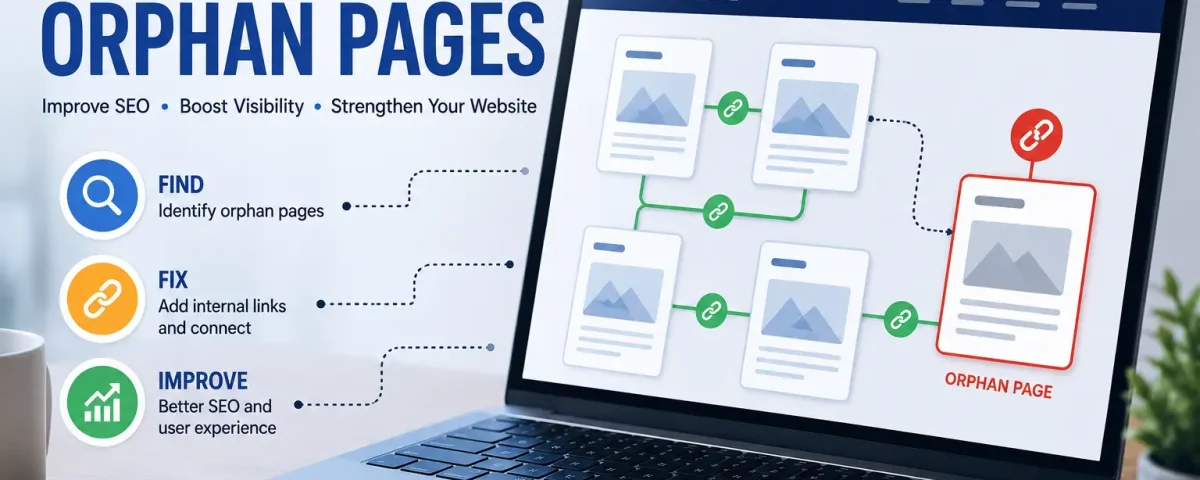
A website can contain useful content that visitors and search engines rarely discover. One common reason is orphan pages. These are URLs that exist on a website but have no crawlable internal links pointing to them from other pages. They may still appear in an XML sitemap or Search Console, but they remain disconnected from the normal site structure.
Finding and fixing orphan pages should be part of every technical SEO audit because strong internal linking makes important content easier to discover.
What Are Orphan Pages in SEO?
In simple terms, orphan pages are pages that cannot be reached by following internal links from other accessible pages on your website. They often appear when an old article loses its category link, a product disappears from navigation, a campaign landing page is forgotten, or a redesign changes internal links.
If the page still provides value, connect it to relevant content. If it no longer serves a purpose, you may need to redirect, remove, or noindex it.
Why Orphan Pages Can Hurt SEO
Search engines discover pages largely by following links. When orphan pages have no internal links, discovery and recrawling can become more difficult. They also receive no internal link equity from the rest of your website, which can weaken organic visibility.
For businesses investing in SEO services, fixing orphan pages can strengthen the website structure without creating new content. It may also uncover useful pages that were previously buried.
How to Find Orphan Pages on Your Website
A normal website crawler starts from a homepage and follows internal links. Because orphan pages are disconnected, a standard crawl may not detect them. The best approach is to compare crawl data with other URL sources.
Start with your XML sitemap, then review landing-page data from Google Analytics and Google Search Console. Compare those URLs against pages discovered during a full website crawl. Any valid URL found in those sources but missing from the internal crawl deserves review.
Screaming Frog provides a useful guide on how to find orphan pages by combining crawl information with XML sitemap, Google Analytics, and Search Console data.
Check Your XML Sitemap
Your sitemap can reveal orphan pages that search engines know about even though visitors cannot reach them through normal navigation. Compare sitemap URLs with the URLs discovered during your crawl.
If an important page appears in the sitemap but has no internal links, add a relevant contextual link from another useful page. If the URL is outdated or should not appear in search, review whether it belongs in the sitemap.
Data Technology LLC also has a guide to WordPress SEO plugins that discusses XML sitemap functionality for WordPress websites.
Use Google Search Console
Google Search Console can help uncover orphan pages that still receive impressions or clicks. If Google reports activity for a URL that your crawler cannot reach through internal links, inspect the page and decide whether it should be connected more clearly.
Google recommends keeping sitemaps updated when important pages are not being crawled as expected. Its Google Search crawling documentation explains how site owners can investigate pages that Google is not discovering or crawling properly.
How to Fix Orphan Pages Correctly
Valuable orphan pages should usually receive contextual internal links from relevant articles, service pages, category pages, or navigation areas. Use descriptive anchor text that helps visitors understand the destination.
Do not add random links just to reduce orphan pages. Every connection should make sense. If an isolated page duplicates another URL, consolidating the content and applying an appropriate redirect may be better. If a page is obsolete or should not appear in search results, removing it from the sitemap and applying the correct indexing directive may be more suitable.
Prevent Orphan Pages from Returning
Fixing orphan pages once is not enough. New isolated URLs can appear whenever content is published, categories change, products are removed, or a website is redesigned.
Make internal linking part of your publishing process. Every important new page should have a natural path from an existing relevant page. Regular crawls and sitemap comparisons can identify orphan pages before they stay disconnected.
Final Thoughts
Finding and fixing orphan pages can improve website organization, page discovery, and internal linking. Start with a full crawl, compare it with your sitemap and Search Console data, then decide whether each isolated URL should be linked, redirected, removed, or excluded from indexing.
A regular technical SEO review helps prevent orphan pages from building up and keeps important content connected.